CapCut
All-in-one free video editor for PC & Mobile
Safe & Secure
DroidCam is a simple yet efficient client to convert your Android device into a webcam for desktop applications. It is a simple and free-to-use app that helps to avoid additional hardware, instead allowing users to stream their favorite visual content right from their phone to a Windows PC.
The app is reliably compatible with all common video conferencing and recording utilities, offering a flexible method of improving video quality. So, you can use the app for chatting on Skype or Google+, and live streaming on YouTube or Twitch.
DroidCam, developed by Dev47Apps, falls under System Utilities and is published in the System Maintenance list of apps. You can connect the app over Wi-Fi or even a USB cable, offering flexibility to use it when and where you want. It is lightweight and proves very light on the system resources.
The app offers free of cost services, allowing users to use all basic functionality for free. However, a Pro version is also available to satisfy the power users while offering multiple advanced features.
The app needs to be installed on the smartphone, and the devices need to be paired together. Simply open the app and click on the “Click to Add a Device” message. It also works as a microphone if the computer doesn’t have the facility. If the standard method isn’t available, it is better to pair the devices manually. However, you have to wait, as the program starts to find the devices three times.
The app is the best combo of simplicity and efficiency. Everything that you want will be easily accessible, and you can use it without a time limit for free. It is also possible to run the app in the background while continuing with other applications. It is the best option, specifically, for users who have to record and live stream, allowing them to record the step-by-step processes that are shared in real-time. It also offers a Surveillance/IP web camera feature to access their camera from other devices.
You can use a standalone mic for the app, and if you don’t have the facility, don’t worry; your phone will offer the service. However, the quality of sound will depend on your phone’s jack. The client of the app provides video quality up to 1080p resolution, making your looks clear and sharp, as multiple platforms, including Zoom, Skype, or Teams, work well with 720p. You can change the settings to high or very high using the smartphone app if you have to face pixilation or low image quality.
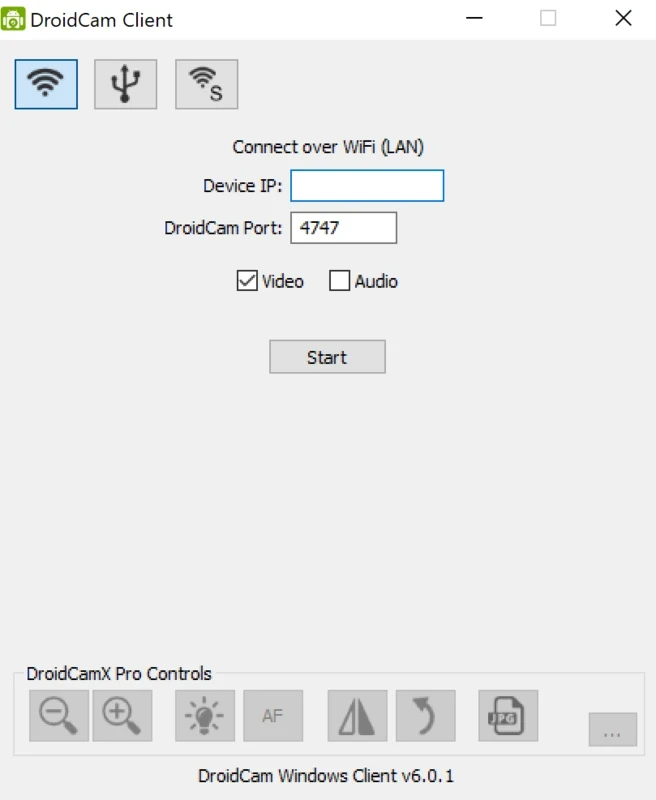
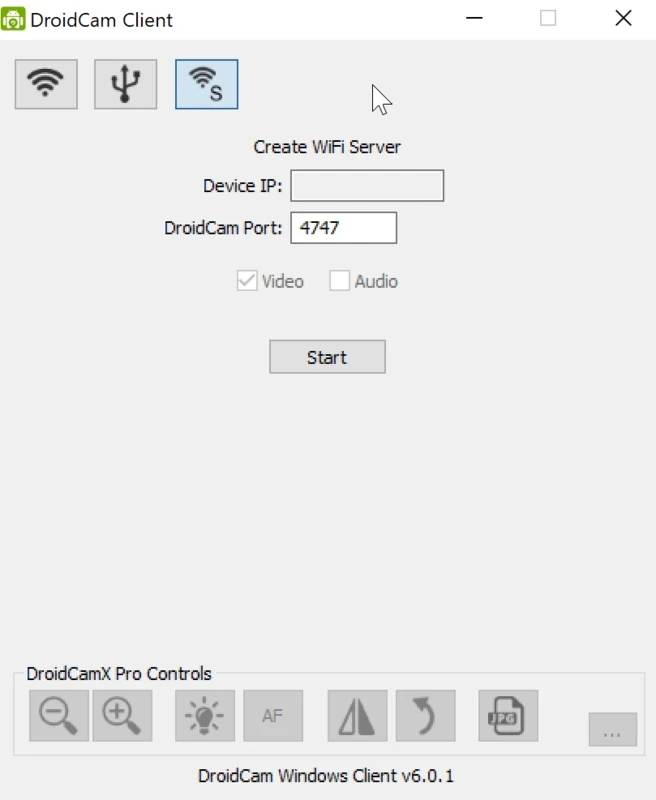
The user interface offers all connectivity tools within a small window on the top of the screen, and video processing effects at the bottom. Enter the device IP and port to establish a connection over Wi-Fi, or use a USB cable in case of not have wireless hardware access. You need to select both video and audio feeds before you start establishing a connection. In this way, you are capable of using the client only as a video-only webcam or an audio-only microphone. After establishing a connection, simply relaunch any of your desired chat programs.
The program offers free services with all the wonderful basic features. However, it includes irritating advertisements that not only interrupt your important activities but also steal your personal information. To avoid the irritating situation, you need to upgrade to the Pro version, called DroidCamX. You will be capable of meeting with a huge list of innovative features such as manual camera controls and PC remote controls, removing advertising, and so on.
The app offers multiple innovative functionalities related to video, so you can customize the client using individual settings such as setting video resolution up to 720p HD, sound management, and managing multiple video processing effects, including zooming, mirroring, rotating, brightness, and so on. Moreover, you can set up video chat sessions on your PC within seconds, enabling your desired apps such as Telegram, Skype, and so on.
The app is usable as a PC client using the phone as a webcam. So, the app offers cross-platform compatibility for the ease of users to use it; regardless of the device they are using, such as Windows or Linux operating systems. It is also integrated with multiple social-sharing platforms such as Zoom, Skype, Discord, and a lot of others.
Pros
Cons

All-in-one free video editor for PC & Mobile
Get optimized converted multimedia files with Format Factory

Green Convert is a free video converter to offers a quick conversion and editing videos with support for limitless formats

Free Cam, capture, record, and edit videos to upload directly on YouTube

VLC supports multiple audio/video formats to play your multimedia.

Streamlabs OBS is a offer you online and offline broadcasting.